Perfect Living OS / Property maintenance
Property maintenance software. One property, the whole story.
A tenant reports the problem. A landlord approves the work. A contractor needs access. Perfect Living OS is designed around the service work connecting them—not another isolated task list.

01 / The working day
A request needs more than an address
Two properties can belong to the same customer and need completely different arrangements. Keep the property context alongside the enquiry: what has been reported, what is known and which decision still needs an answer.
Start with the original message and relevant history. Before arranging work, clarify the scope and who may authorise it. That gives the next person handling the request a record to consult rather than a chain of forwarded messages to interpret.
02 / The working day
Coordinate the work around the people
A vacant-property handover may need cleaning and repairs in the right order. An occupied property adds the tenant’s availability and access arrangements. A calendar entry cannot resolve those questions by itself.
Use the schedule and job brief together. Confirm the visit and responsible person, then keep any change attached to the work. When a deadline moves, the next action should be explicit: contact the customer, recheck availability or revise the scope.
03 / The working day
Keep the outcome attached to the property
The next maintenance enquiry is easier to understand when the previous work is recorded. Keep completion notes, photographs and any unresolved issue with the job rather than only in a contractor’s private conversation.
Follow the agreed work through invoicing and payment status. This is a service-business workflow, not a claim to replace tenancy administration, rent collection or specialist property accounting. Check those requirements separately before changing your existing systems.
See the software
From a familiar problem to a visible next step.
Explore a sanitized demo view. Records and figures are fictional; feature availability and connected providers depend on your setup.
Follow a complete working day with OS ↗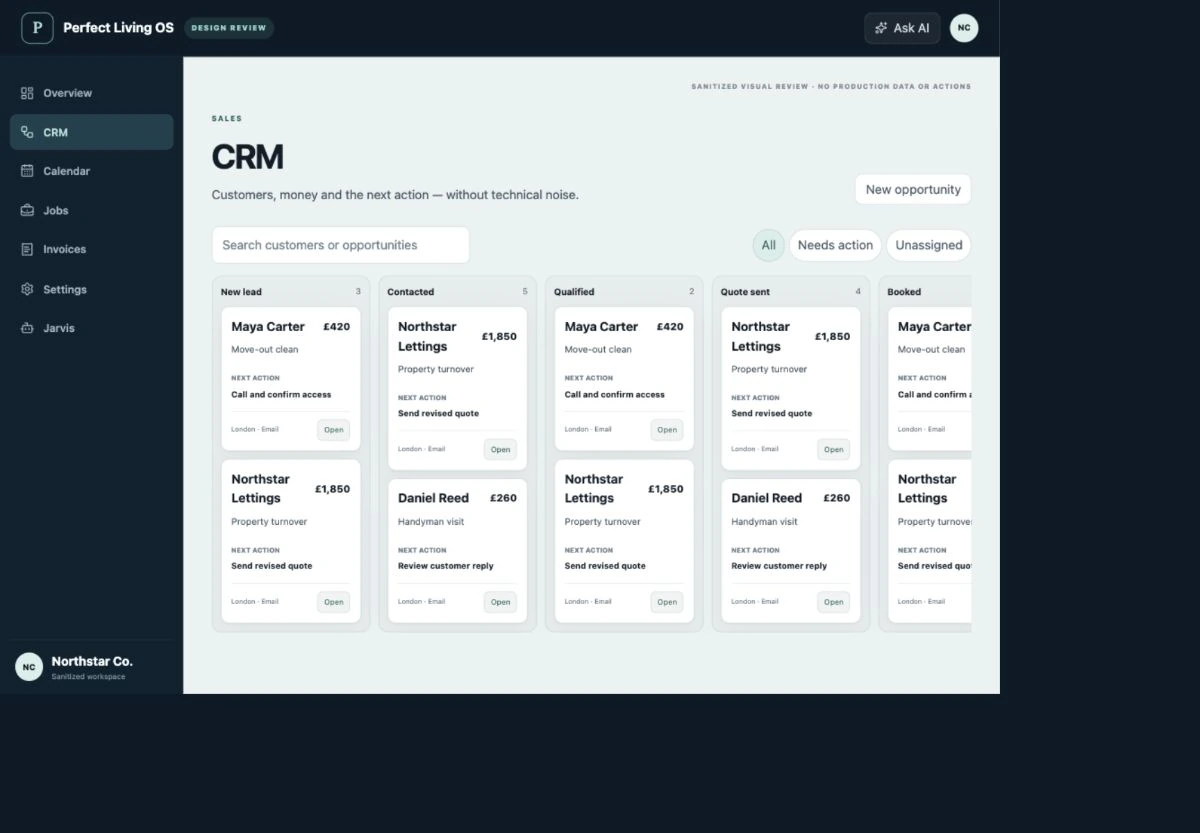
Before choosing software
Check the fit, not just the feature list.
Does OS replace a landlord’s rental management system?
Not automatically. The focus is the customer-to-job workflow for property services. Tenancy agreements, rent collection, deposits and specialist accounting have separate requirements and are not promised by this page.
What should I check before moving my team?
Bring a real enquiry, quote, visit and invoice to your fit review. Confirm data import, permissions, supported integrations and the responsibilities of each role. Test a small workflow before changing the tools your operation depends on.
Where are pricing and purchase availability shown?
The OS plan catalogue holds current Basic, Team and Operations pricing, allowances and registration status. External provider fees and custom integration requirements should be confirmed separately.
Explore related workflows
Make your next working day clearer.
Start with the parts of your operation that need to stay connected.
Discuss property maintenance ↗OS terms · Privacy · Cancellation & refunds