Perfect Living OS / Cleaning businesses
Cleaning business software. Keep the whole week together.
A regular home clean, a one-off deep clean and an office contract should not need three separate systems. Perfect Living OS is designed to connect the customer, property, schedule and paperwork behind the cleaning.
01 / The working day
Recurring work without losing the exceptions
Regular visits make a cleaning business predictable—until a customer goes away, changes the time or asks for extra work. A useful cleaning schedule needs more than a repeating calendar entry. It needs the property context, assigned team and a way to see what changed.
Use the customer record and calendar together. Keep the request visible, check the available slot and confirm the new arrangement before changing the visit. Access instructions and agreed scope should travel with the work rather than live in the owner’s messages.
02 / The working day
A quote that remembers the property
An end-of-tenancy clean is not the same as a weekly visit. Before preparing the quote, collect the information that changes the job: condition, size, access, deadline and any requested extras. Keep the exclusions as clear as the included work.
When someone asks about oven cleaning on arrival, your team needs to know whether it was agreed. Connect the quote to the job brief and record additional requests before approving a change. Clear information protects both the customer’s expectations and the team’s time.
03 / The working day
Finish the clean—and the commercial record
Completion notes should help the office understand the outcome without another phone call. Keep any unfinished issue visible. Then prepare the invoice from the agreed work, with the right customer and commercial detail.
An issued invoice and a confirmed payment are different states. Use payment evidence to confirm collection, and leave an outstanding action with a named person. The purpose is a week you can follow, not a dashboard that makes every job look finished.
See the software
From a familiar problem to a visible next step.
Explore a sanitized demo view. Records and figures are fictional; feature availability and connected providers depend on your setup.
Follow a complete working day with OS ↗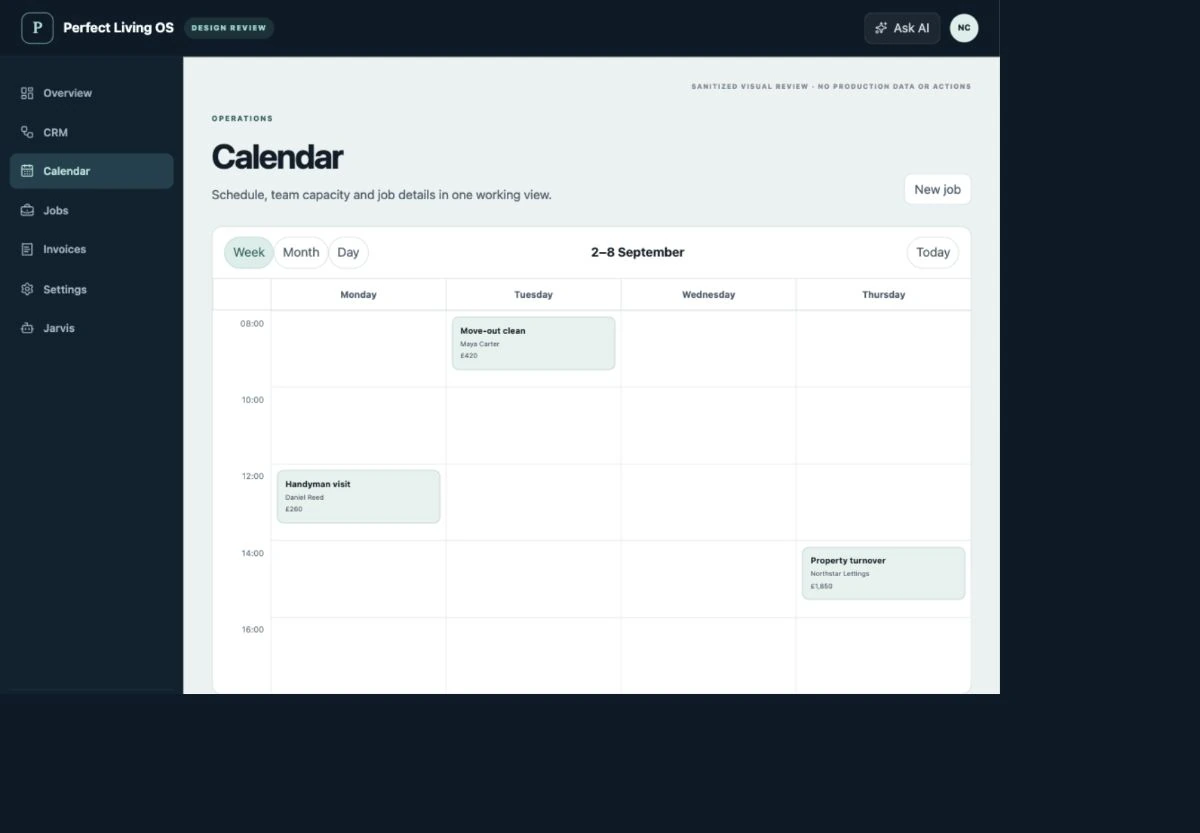
Before choosing software
Check the fit, not just the feature list.
Is this for domestic or commercial cleaning?
The product focus includes both recurring and one-off property-service workflows. Domestic cleaning and commercial contracts have different access, scope and scheduling needs; confirm your required setup and integrations before subscribing.
What should I check before moving my team?
Bring a real enquiry, quote, visit and invoice to your fit review. Confirm data import, permissions, supported integrations and the responsibilities of each role. Test a small workflow before changing the tools your operation depends on.
Where are pricing and purchase availability shown?
The OS plan catalogue holds current Basic, Team and Operations pricing, allowances and registration status. External provider fees and custom integration requirements should be confirmed separately.
Explore related workflows
Make your next working day clearer.
Start with the parts of your operation that need to stay connected.
Discuss cleaning businesses ↗OS terms · Privacy · Cancellation & refunds